
Overview
We use Asana as our internal task management tool and often collaborate directly with clients through Asana on more complicated or long term projects such as large projects and monthly retainers.
Collaborating directly in Asana has many benefits such as:
- Quick communication about each specific task
- All relevant parties on both sides are notified
- Quickly add Requests with all the details out team needs
- Email notifications for comments and task updates
- Live time tracking
- Clear task status
- And much more!
Your Asana Project
When you get access, you’ll see your project like this – the default view is List view:
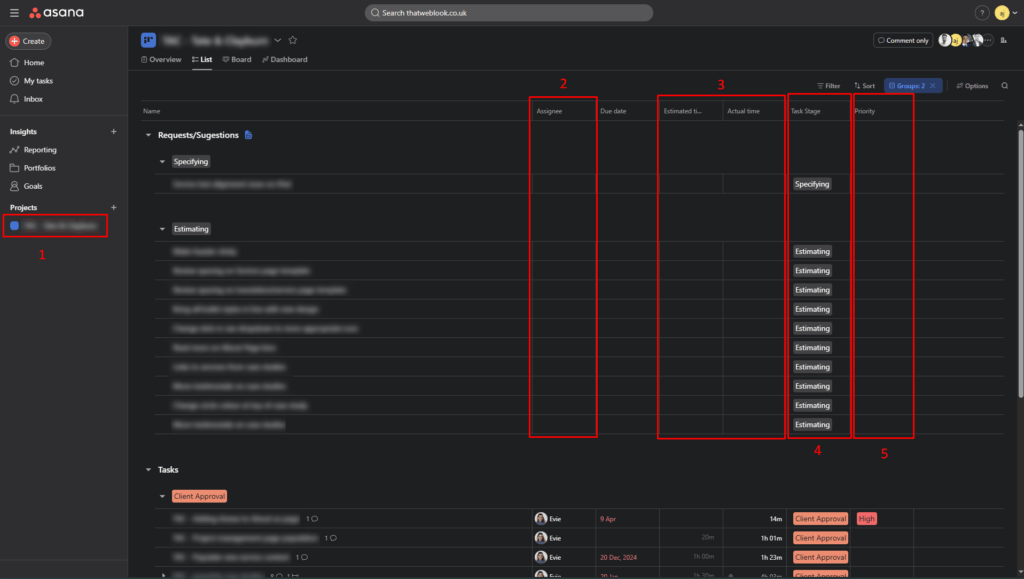
- Link to your project
- Task assignee (tasks that require your input will be assigned to you)
- Estimated and Actual time
- Task stage (tasks are also listed by Stage)
- Task Priority
Project Overview
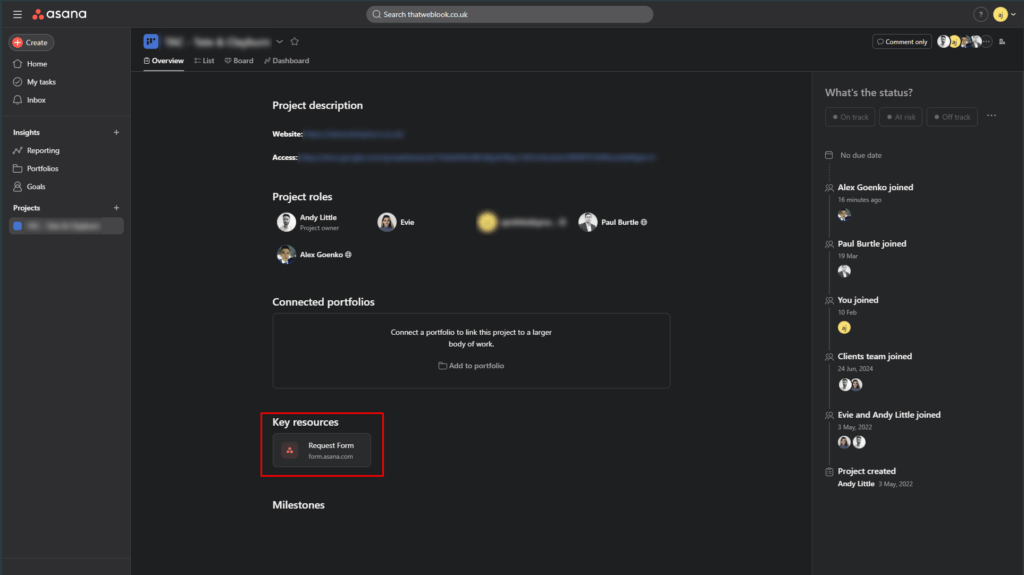
- In the overview you will find information and resources relating to your project
- Importantly, you’ll find a link to the Request form, which you will use for submitting new tasks/requests. You can also bookmark this link for easy access.
Request Form
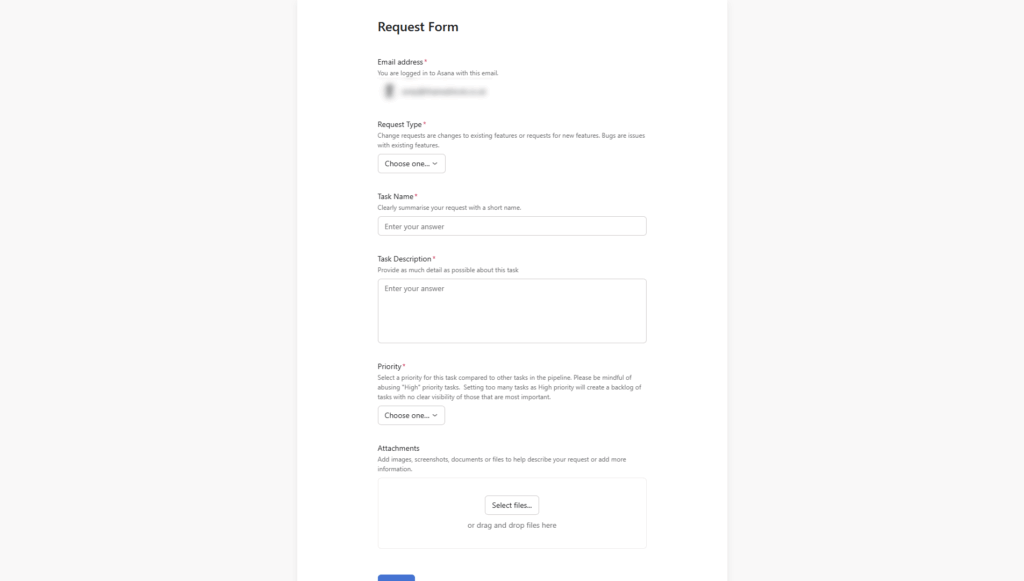
- The Request form is how you will add tasks. This ensures we are properly notified and all tasks contain the required fields
- You can bookmark this link separately and access the form directly.
- You will receive email notifications on your tasks and can reply via email.
Important Note: This is your personal Asana account, which you may also use for other projects. However, only this specific project relates to your work with us. Please ensure that any tasks related to this project are added via the Request From. Tasks added to your own Asana workspace will not trigger notifications for our team, and will be missed.
Task Details
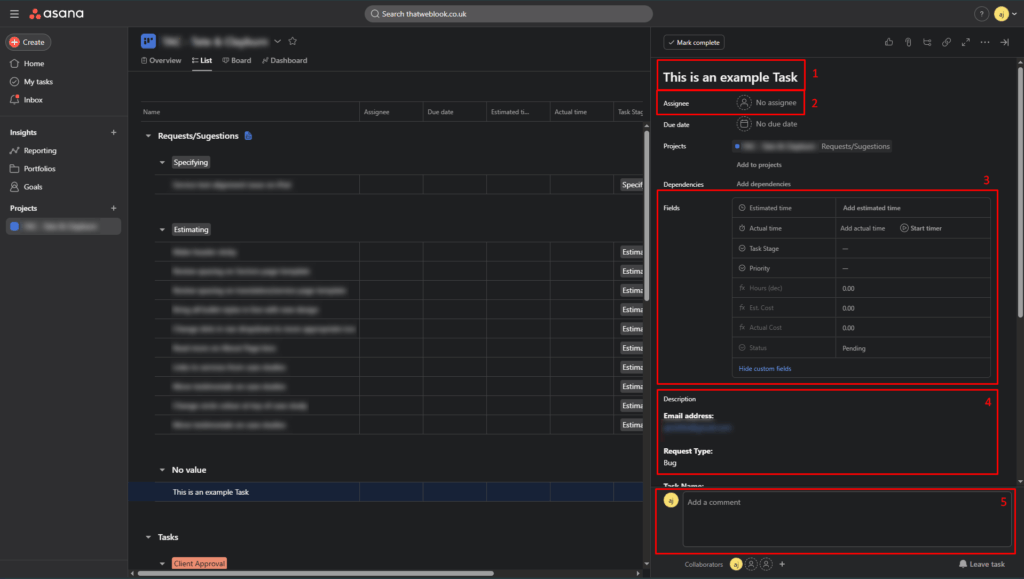
Clicking on a Task will open its details:
- Task Name
- Assignee
- Task Fields – which include Stage and Status
- Task Description
- Comments – This is how we will communicate on a Task
My tasks
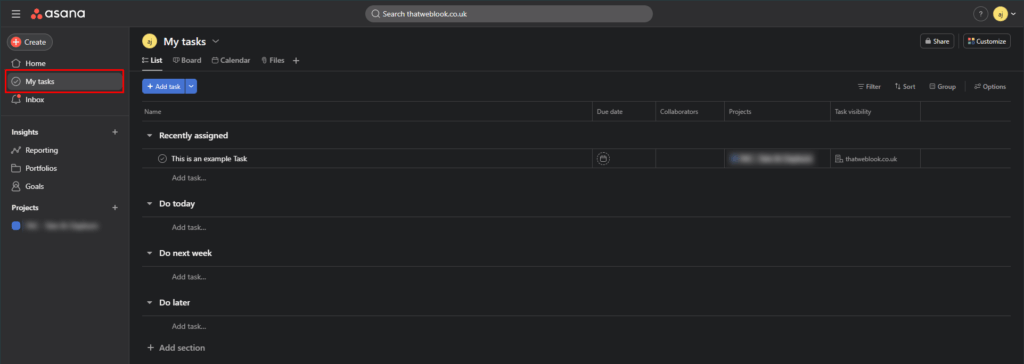
May Tasks is a great way to see all tasks assigned to you – especially if we are collaborating on multiple Projects.
Asana Inbox
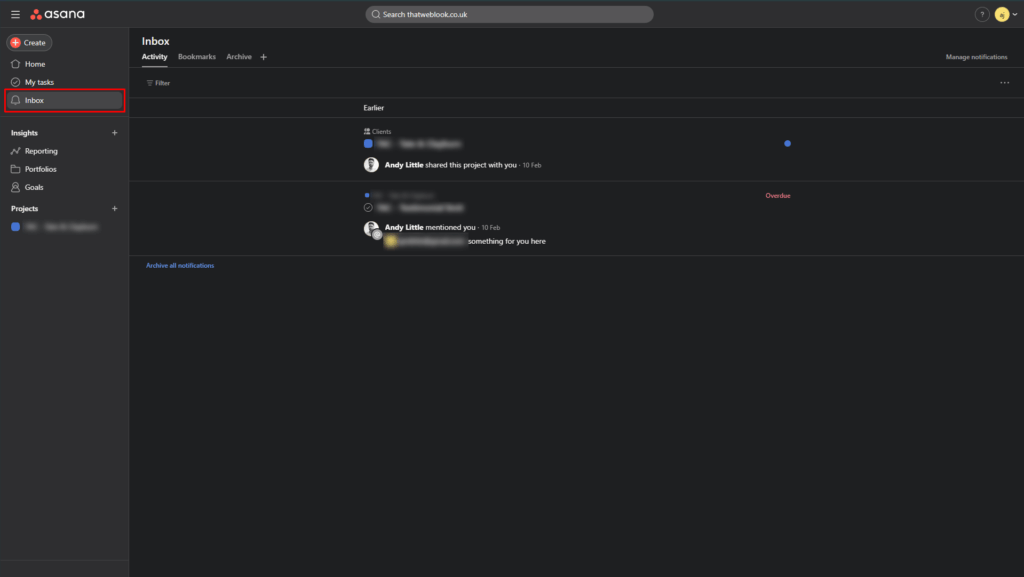
The Inbox is a great way to keep track of comments on Tasks where we are collaborating. It also acts as a high level timeline of activity of Tasks. You can Archive any notifications that are no longer relevant, or Save any that you don’t want to lose.
If you have any questions relating to Asana usage, please don’t hesitate to contact our team at [email protected]. Asana also has their own Help Center and Academy, which are very helpful.